

The LLM Gateway is in beta.
How it works
A fallback chain has:- A primary model: the provider and model that trigger the chain when a request fails.
- One to five fallbacks: an ordered list of direct provider models or saved model configurations.
- Triggers: the upstream HTTP status codes that move the request to the next model. For example, use
429for rate limits, or500,502,503, and504for provider errors.
- Calls the primary model selected by the request’s provider-prefixed model ID.
- If the request fails with a configured trigger status or a transport error, loads the matching fallback chain.
- Calls each fallback in order until one succeeds, returns a status that does not trigger another fallback, or the chain is exhausted.
- Returns the final response in the API format used by the client.
Create a fallback chain
To create a fallback chain:- Go to LLM Gateway and select the Model Fallbacks tab.
- Click Create fallback chain.
- Select the Workspace where the chain applies.
- Select the primary provider and model. Requests to this provider-prefixed model ID use the chain when the primary attempt fails.
- Under Fallbacks, add one to five backup models in the order the gateway should try them. Choose a provider and model directly, select an existing model configuration, or create a custom model configuration.
- Under Configure fallback triggers (advanced), review the HTTP status codes that should trigger the next fallback. Add or remove status codes as needed.
- Click Create chain.
Make a call
Call the standard LLM Gateway endpoint with the primary provider-prefixed model ID. You do not need a route-specific URL or additional request fields:anthropic/claude-opus-5 in the API key’s workspace. If no chain matches, the gateway returns the primary model’s response without attempting a fallback.
Set fallbacks for a prompt
To give a prompt its own fallback chain, route it through a saved model configuration. The prompt references the configuration by name, while the gateway manages its fallback chain. Creating the configuration requires workspace admin permissions. Creating the fallback chain requiresorganization:manage permission.
To configure fallbacks for a prompt:
- Create a model configuration pointing to the provider and model you want the prompt to use.
- Create a fallback chain in the same workspace. Select your saved configuration as the primary model, rather than selecting its underlying provider and model directly. Add the backup models, configure the triggers, and save the chain.
-
Create a prompt in the Playground. Open Model Configuration, select LangSmith Gateway as the Provider, and enter
custom/<my_config_name>in the Model field. Replace<my_config_name>with the saved configuration’s name, without angle brackets. You can type the value even if it is not listed. Click Apply.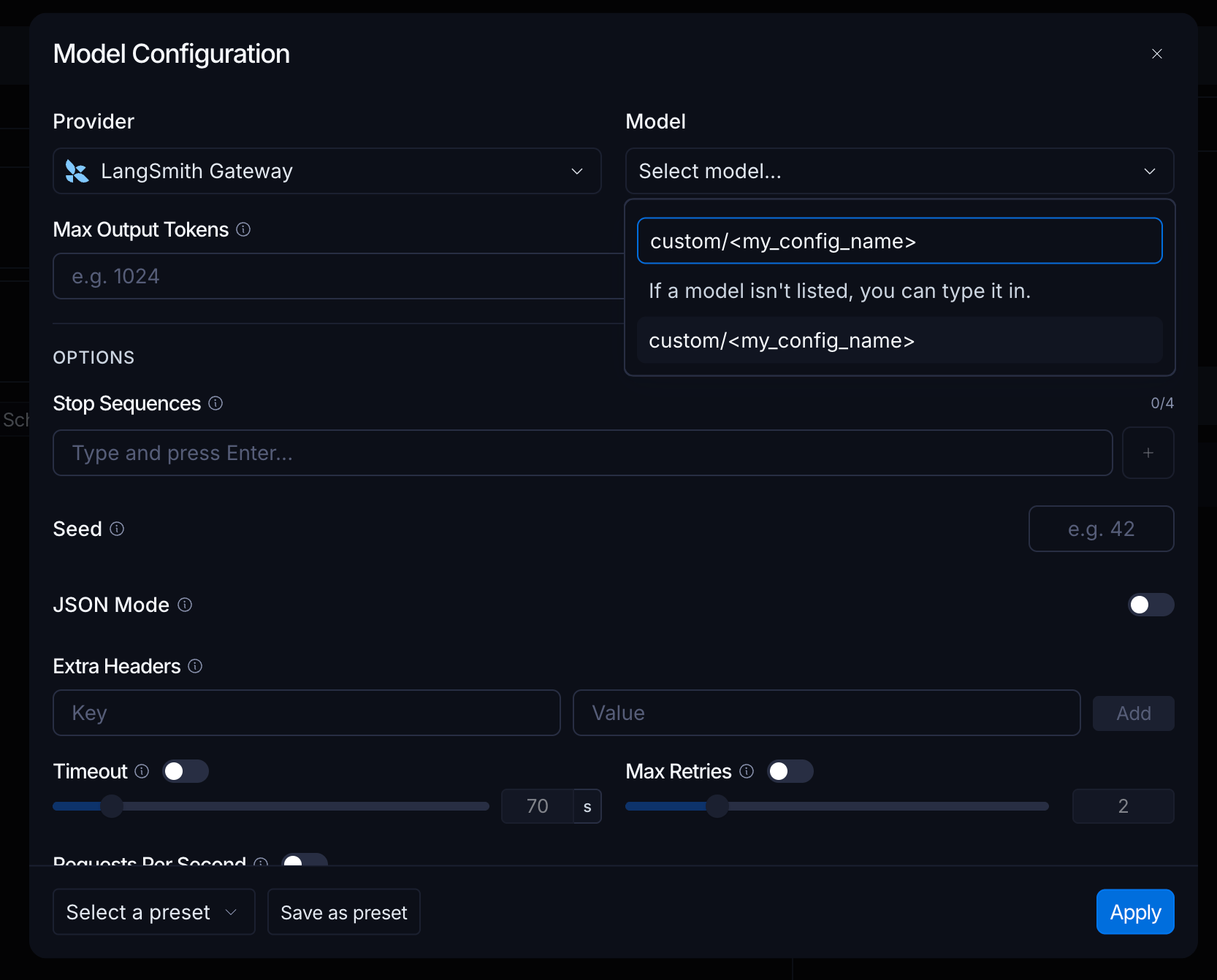
-
Save the prompt, then pull it with its model. In Python, set
include_model=Truewhen callingclient.pull_promptso the saved Gateway model configuration is included.
Choose fallback candidates
You can add two types of fallback candidates:- Direct provider model: select a supported gateway provider and model. This option uses the workspace’s secret for that provider, or Gateway Credits for eligible hosted models.
- Model configuration: select a saved model configuration. Use this option for a custom OpenAI-compatible or Anthropic endpoint, a custom model name, or configuration-specific parameters.
anthropic/claude-opus-5 as the primary model, openai/gpt-5.4-mini as the first fallback, and a saved OpenAI-compatible model configuration as the second fallback. The application continues to request anthropic/claude-opus-5; the gateway selects and translates fallback calls when needed.
See also
- API formats: review supported request formats and translation behavior.
- Spend policies: apply cost limits alongside fallback routing.
Connect these docs to your agent of choice via MCP for real-time answers.